 SafeShift
Your kitchen’s food-safety diary, on one shared phone.
SafeShift is a food-safety record-keeping app for cafés, food trucks, bakeries and small kitchens in England and Wales. Log daily checks in seconds, let staff sign with their own PIN, and have a PDF diary ready when the inspector asks.
Beta places are open: use SafeShift in your kitchen for 3–4 weeks and get 6 months free when it launches. How the beta works
For iPhone and iPad. Coming soon to the App Store.
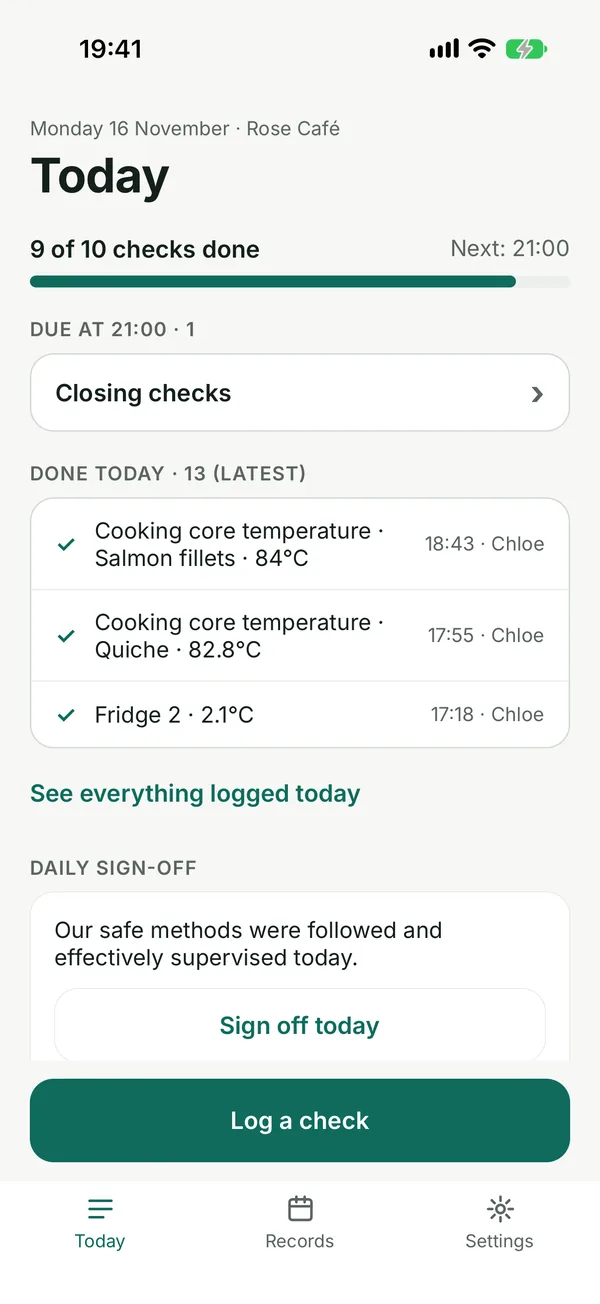
See the app
Screens from the iPhone app, with an example café’s records.
Built for a busy shift
The daily checks follow the Food Standards Agency’s Safer Food, Better Business pack for caterers.
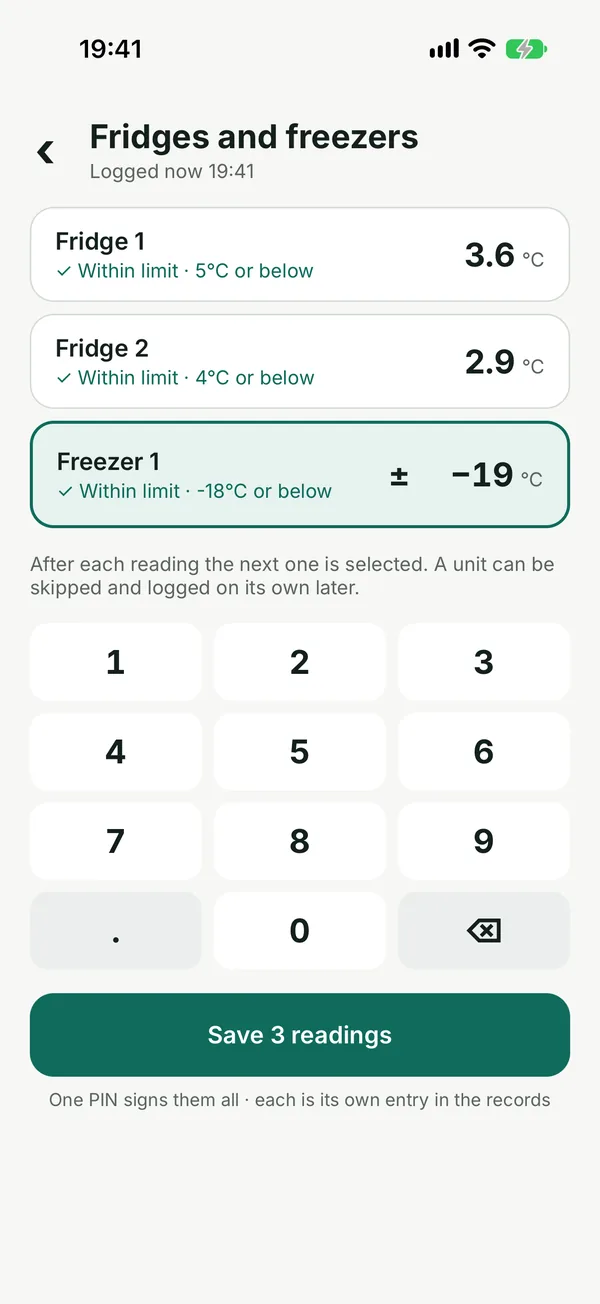
All fridges and freezers at once
Type each temperature on one screen, or walk past and say them: “fridge one, four degrees”. One PIN signs the whole round.
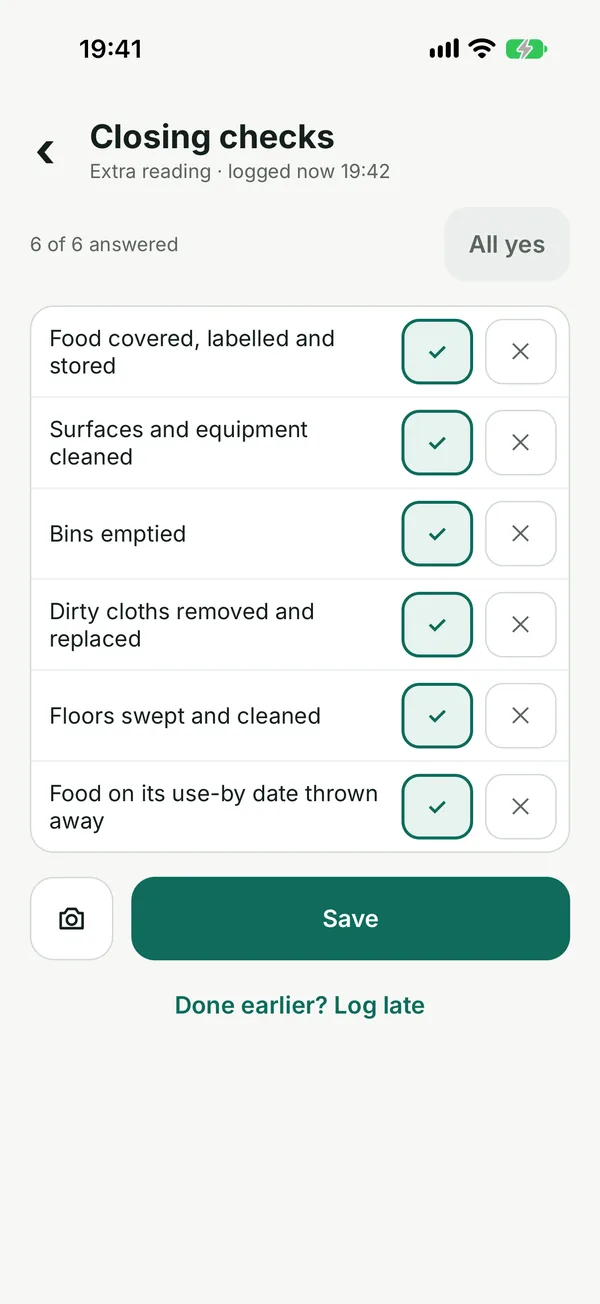
Opening and closing checks
Cleaning, pests, staff fitness, use-by dates: tick yes or no, or “All yes” and change what is not.
Problems handled, not hidden
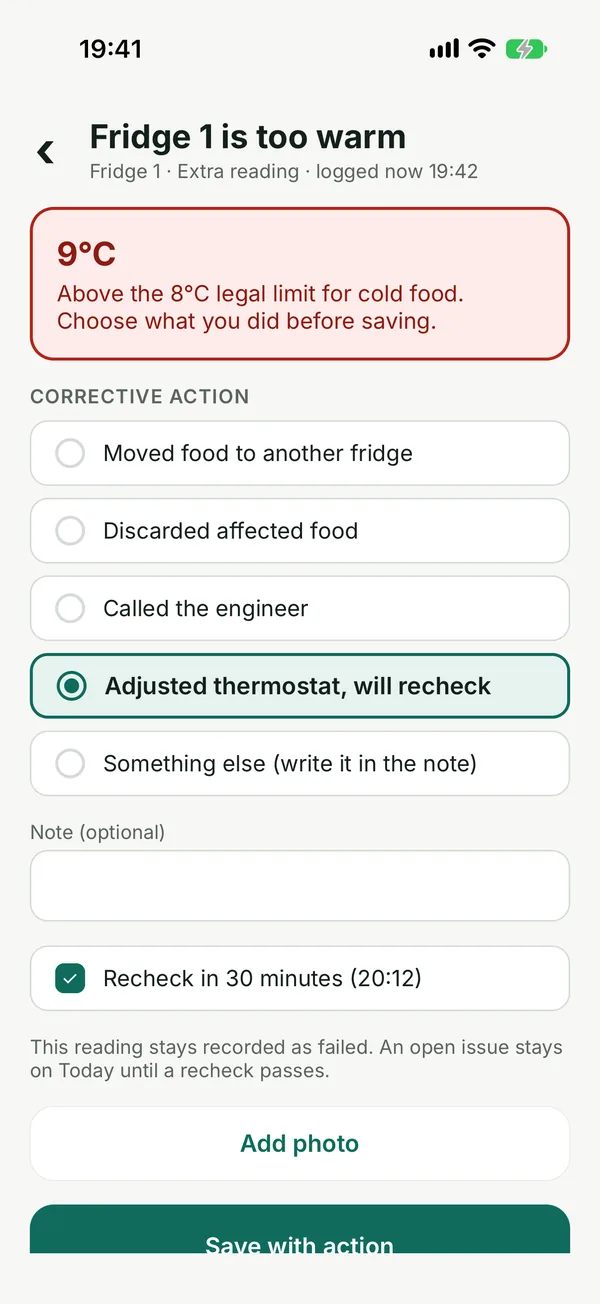
A reading over the limit asks what you did about it and reminds you to recheck. The original reading always stays in the diary.
Everyone signs as themselves
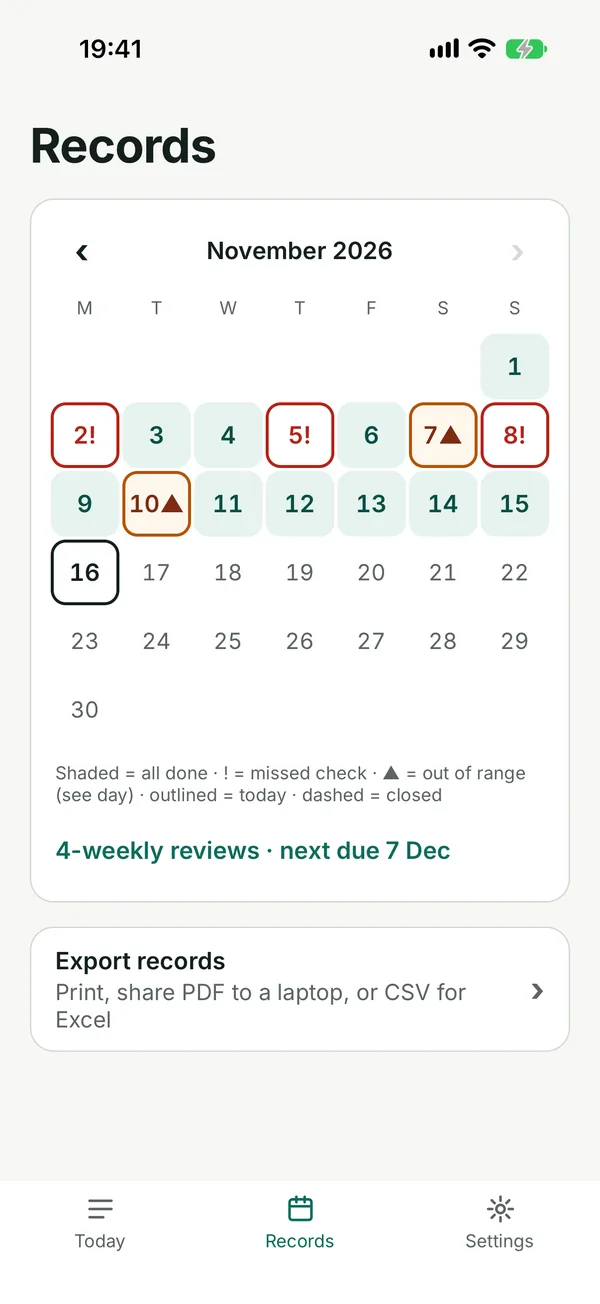
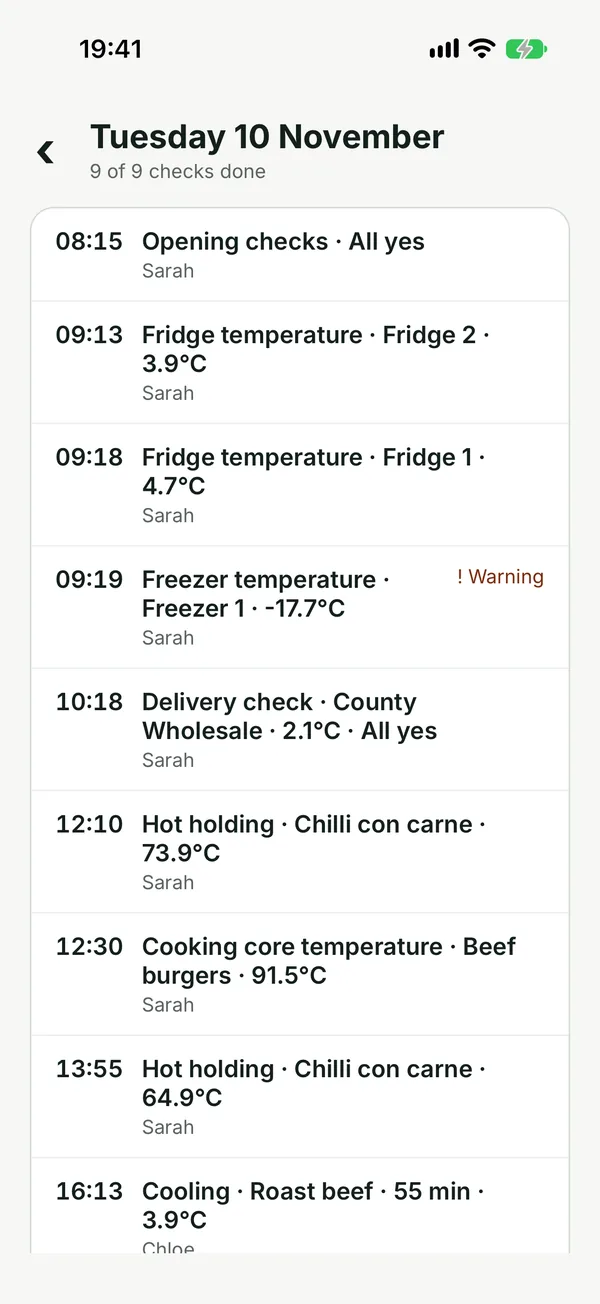
Each person has their own PIN, so the diary shows who did each check and when. Late entries are marked as late.
PDF diary and CSV
Export a month of records as a PDF that prints well in black and white, or as CSV for a spreadsheet. Share it, print it or send it to a laptop.
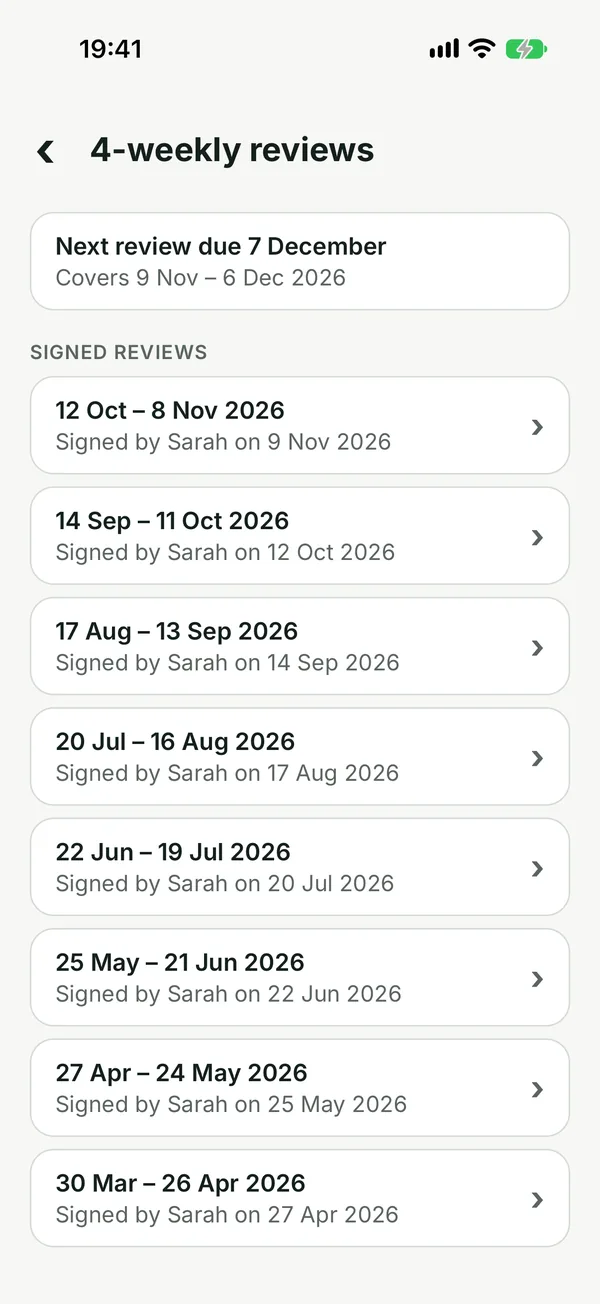
4-weekly review
The review questions from Safer Food, Better Business, with the period’s problems and missed checks shown alongside.
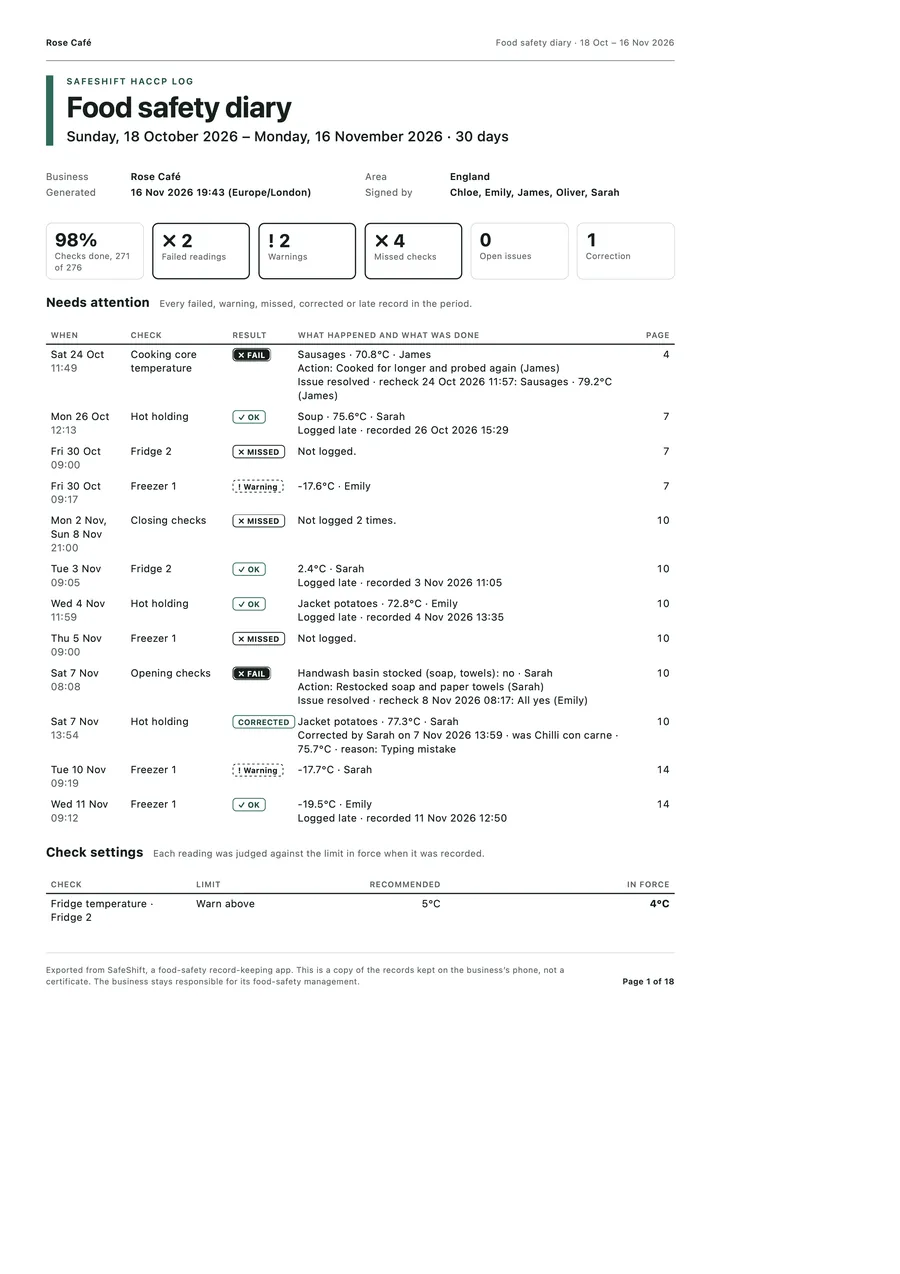
A diary ready for the inspector
Choose a period and SafeShift builds a PDF: a summary, everything that needs attention with what was done about it, then every check day by day.
- Prints clearly in black and white
- Corrections and late entries are shown, never hidden
- Print it, or share it to a laptop by AirDrop or email
Your records stay with you
Works offline
Every check, report and backup works without signal. No accounts, no logins.
On your device, not our server
SafeShift has no server. We cannot see your records or your staff’s names. No analytics, no adverts.
Daily backup to your iCloud Drive
A backup goes to your own iCloud Drive every day, so a lost or broken phone does not have to mean a lost diary.
One price, everything included
Per premises, for any number of staff. Start with one month free.
Yearly
£39.99a year, about £3.33 a month
Monthly
£4.99a month
- 1-month free trial through the App Store
- All checks, reports, exports, printing and backups
- If you stop paying, your records stay readable and exportable
Prices include UK VAT. The App Store shows the current price before you buy.
Questions
Does SafeShift make my business compliant?
No app can. SafeShift helps you keep food-safety records. Your business stays responsible for its food-safety management and for what it records.
How many phones can I use?
Use one shared phone or tablet in the kitchen. Each person signs with their own PIN on that device. A second phone would keep a separate diary: records are not synced between devices.
I run more than one site.
Each subscription covers one premises. Each site needs its own subscription, bought on the device used there.
What happens to my records if I stop subscribing?
The app becomes read-only: you cannot log new checks, but you can still open your records and export the PDF diary, CSV and backup files.
Where are backups kept?
In your own iCloud Drive, in a SafeShift folder you can see in the Files app. You can also save a backup file anywhere you like. We never receive your backups.
Is it for Scotland or Northern Ireland?
Not yet. SafeShift follows the Safer Food, Better Business pack used in England and Wales. Scotland (CookSafe) and Northern Ireland (Safe Catering) would need their own versions.
Is there an Android version?
Not yet. SafeShift is for iPhone and iPad.
What does the beta involve?
Use SafeShift for your daily checks for 3–4 weeks and tell us what works and what does not. Beta businesses that use it get 6 months free when SafeShift launches on the App Store; after that the yearly plan continues unless you cancel it in your Apple ID settings. Email support@oxydsoft.com with your business name and the kind of kitchen you run.